
Decide faster
Swipe left or right in seconds without opening endless detail views.
PicSwipe for iOS
Review a few photos at a time. Swipe right to keep, left to mark for review, and confirm before anything is deleted. No account needed.
Start free with 30 swipes every eight hours. Optional PicSwipe+ removes limits and ads.
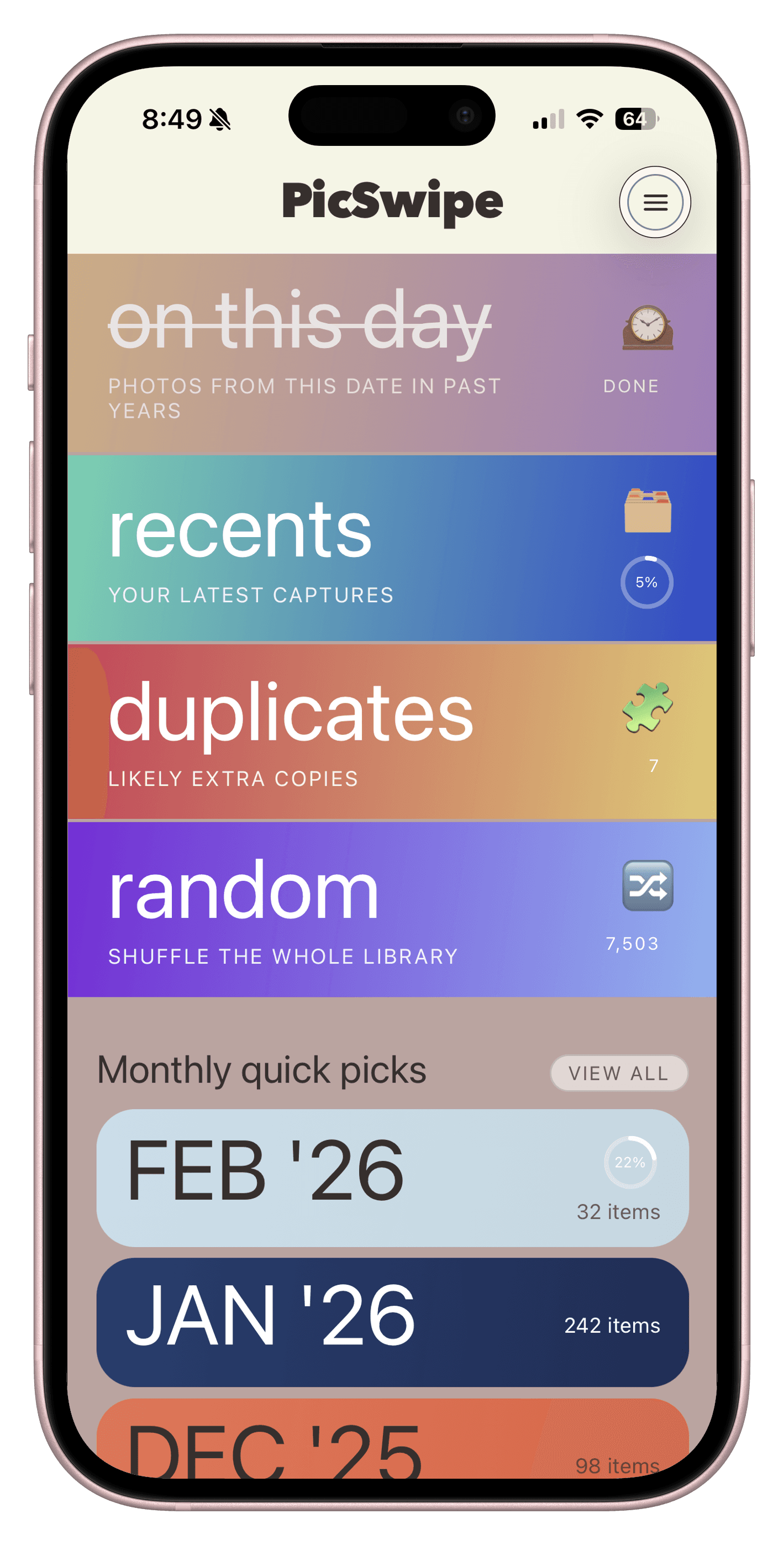
Why PicSwipe
Built for real-life camera rolls: lots of duplicates, too many screenshots, and not enough time.
Swipe left or right in seconds without opening endless detail views.
Photo review stays on-device so your media remains in your control.
Short sessions make cleanup feel light, not like a weekend project.
Bookmark the shots worth revisiting and find them instantly later.
How It Works
PicSwipe is intentionally straightforward, so you can make progress in minutes.
Choose a mode and begin with a focused stack of photos.
Swipe to keep or mark for review. Bookmark a photo when you want to revisit it.
Review your choices, confirm deletion, and see your progress with clearly labeled size estimates.
Screenshots
A quick look at the core screens you will use to clean up faster.
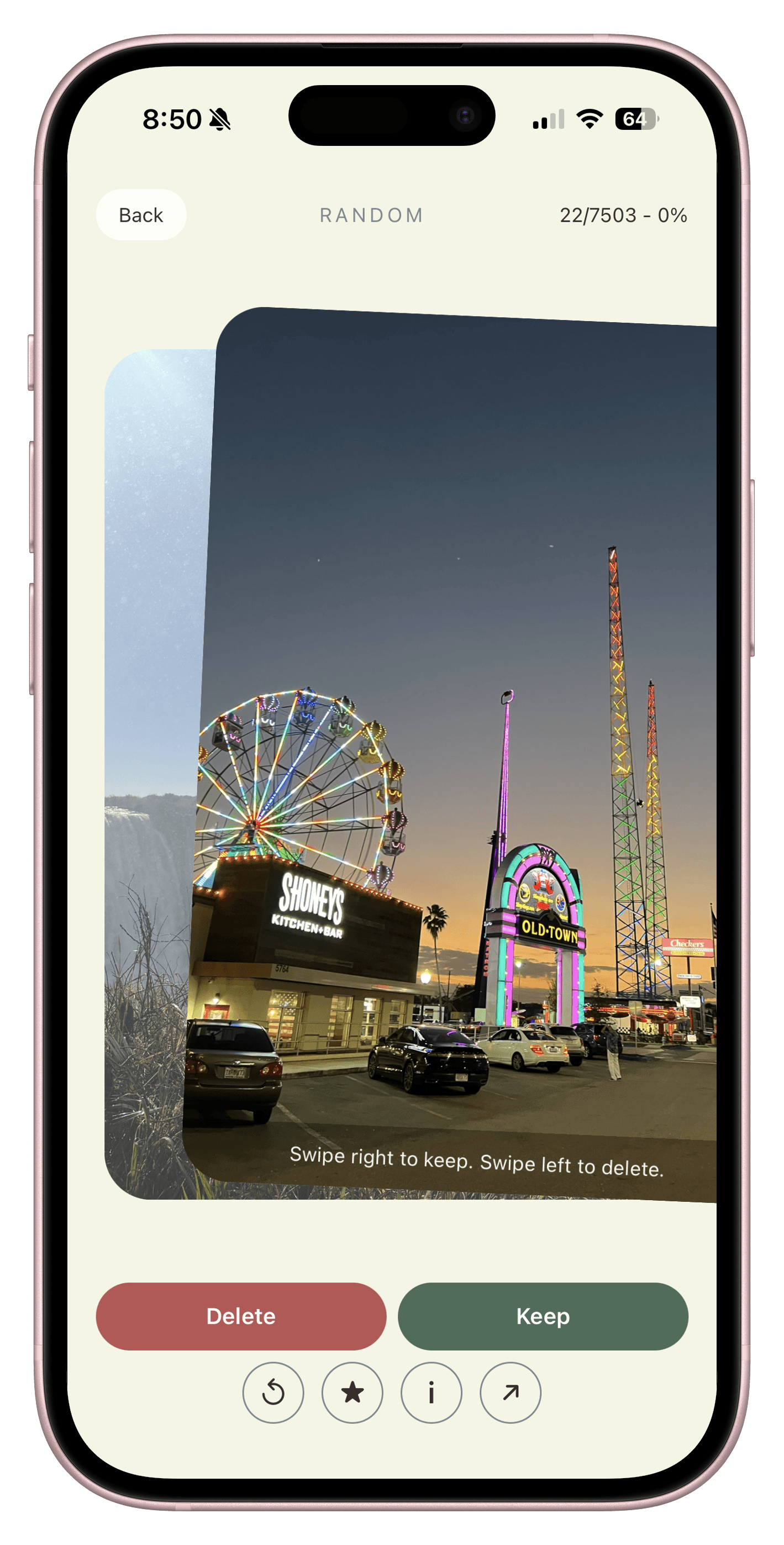
Swipe Right To Keep
PicSwipe brings your current photo forward, previews the next one behind it, and lets you keep your favorites with a single right swipe.
Feature Spotlight
Every part of PicSwipe is tuned for speed, confidence, and a calmer daily photo habit.
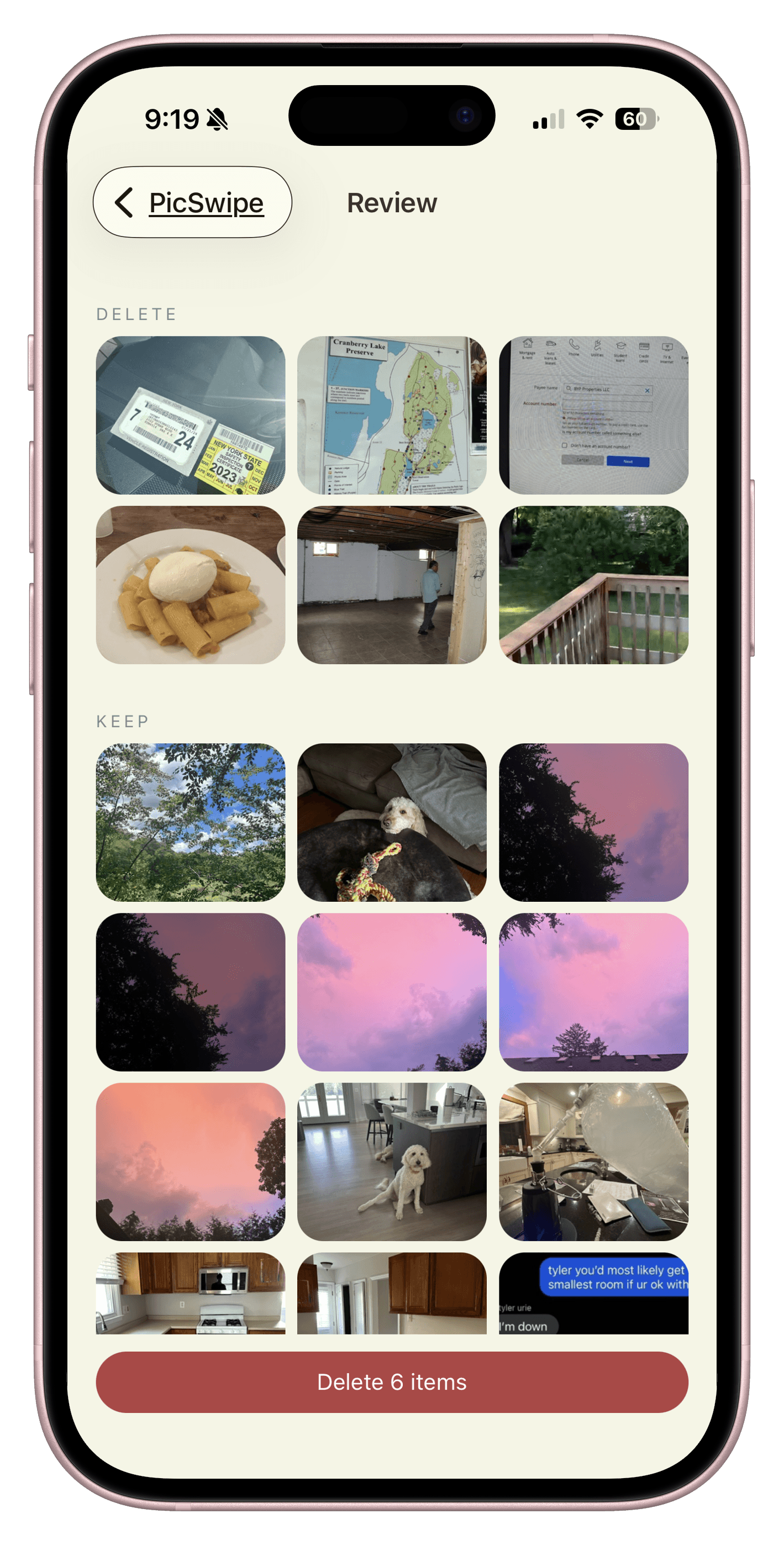
Focused Review
Review the photos you marked for deletion together. Change a choice or open a preview before confirming.
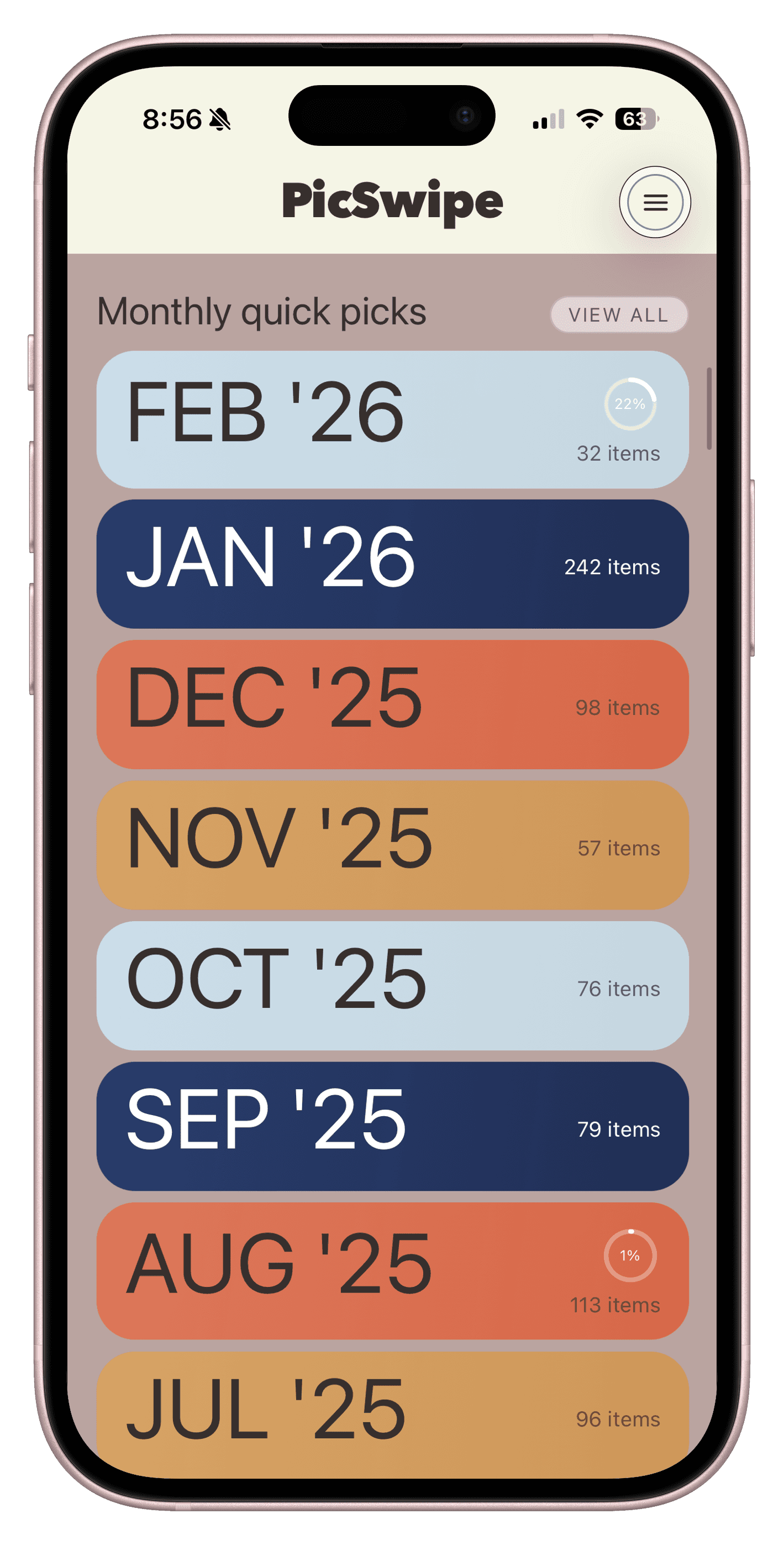
Monthly Picks
Monthly Picks groups photos into practical batches so each cleanup pass stays short and manageable.
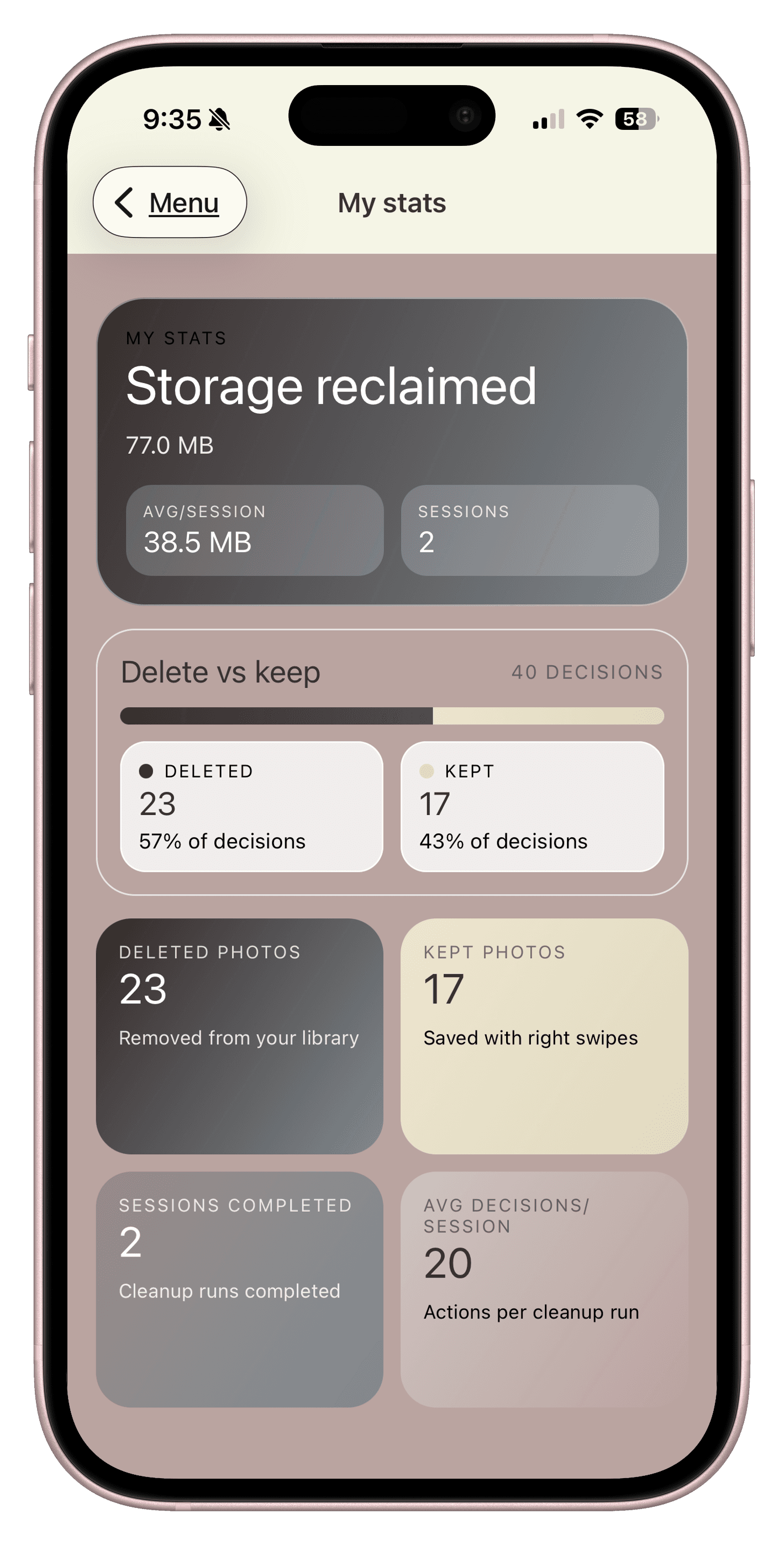
Session Results
The Stats screen shows your cleanup momentum so you can keep building a weekly habit with confidence.
Cleanup workflows
Move through old screenshots one at a time, delete the temporary saves, and keep anything that still belongs in your library.
Best for quick low-regret cleanup sessions
Compare repeated shots from the same moment with less grid overload, then keep the version that is actually worth revisiting.
Best for near-duplicates and burst-like clutter
Run a short review before clutter turns into a storage emergency, then stop with clear progress instead of a marathon cleanup.
Best for keeping the camera roll manageable
FAQ
Everything you need to know about PicSwipe, subscriptions, and privacy.
Start today
Install PicSwipe and turn the messy camera roll into a collection you actually enjoy revisiting.